Coroutines Deep Dive!
Intro
In this article I’m going to explain how coroutines actually work under the hood and why I find them so fascinating! Coroutines take advantage of a very fundamental concept that we use everyday! That concept is called Enumeration. If you’ve not seen my article on the basics of Coroutines and are unfamiliar with them then I recommend you check out my article in Coroutines - What are they - How do they Work
Core Concept: Enumeration/Iteration
The core fundamental concept I want to talk about is Enumeration. Enumeration is just the concept of going through a set one step at a time. This sounds weird and maybe it doesn’t make sense but a very simple example of this is counting numbers.
You can count from 1–10 quite easily: 1, 2, 3, 4, 5, 6, 7, 8, 9, and 10. Each time you count is a single “enumeration”; so on the first enumeration you counted 1, then on the 2nd enumeration you counted 2, and so on until you reach 10. This concept also applies when you are counting in different ways like counting by 5 until you reach 100: 5, 10, 15, 20, 25, 30, 35, 40, 45, 50, 55, 60…100. Here you count 5 on the 1st iteration, then 10 on the 2nd and so on until you reach 100. You can also do this from 10-100 counting by 10.
Tasks in steps
The same way you can “enumerate” a set of numbers, you can also “enumerate” a set of tasks. Think about the tasks required to bake a cake. The steps might look something like:
- Grab all ingredients for creating the mix (Flour, eggs, etc.)
- Mix the ingredients into a bowl
- Bake the cake in an oven
- Decorate the cake
Each step is in a specific pre-determined order; each time you finish a step, then you can go on to the next until you’ve completed the task. This is the essence of enumeration.
How it works in C#
So how does this work in practice? Well let’s start with our simple example in the beginning and just add print statements for each step in the IEnumerator method:
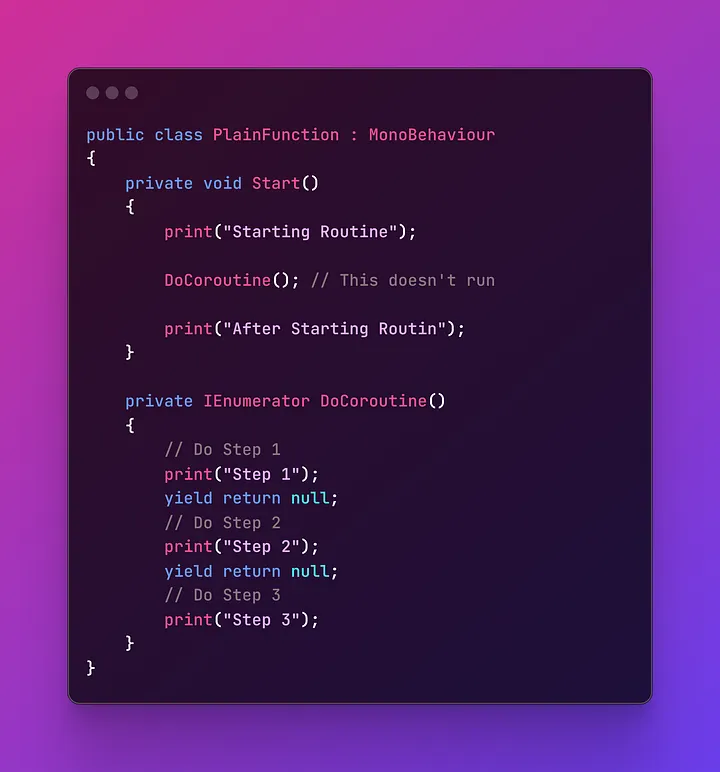
Notice the comment right after the DoCoroutine(); line that says that the code doesn't run. If you try to run this in Unity nothing appears to happen within the Coroutine. But technically the code is running something, it's just not visible. C# has some special rules that it follows when working with methods that return IEnumerator. To show this let's first store the IEnumerator returned by this method into a variable:
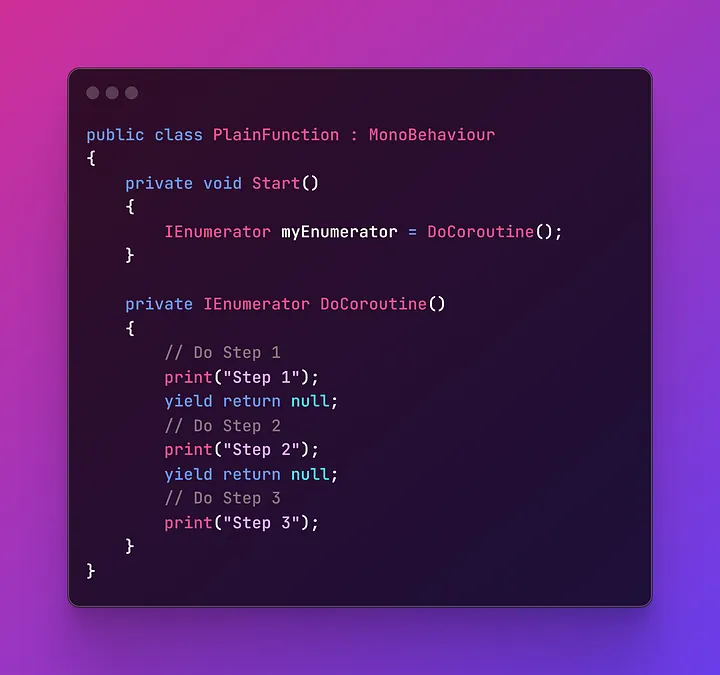
We’ll also remove the print statements above and below the method. Next we will call the myEnumerator’s MoveNext() method like so:
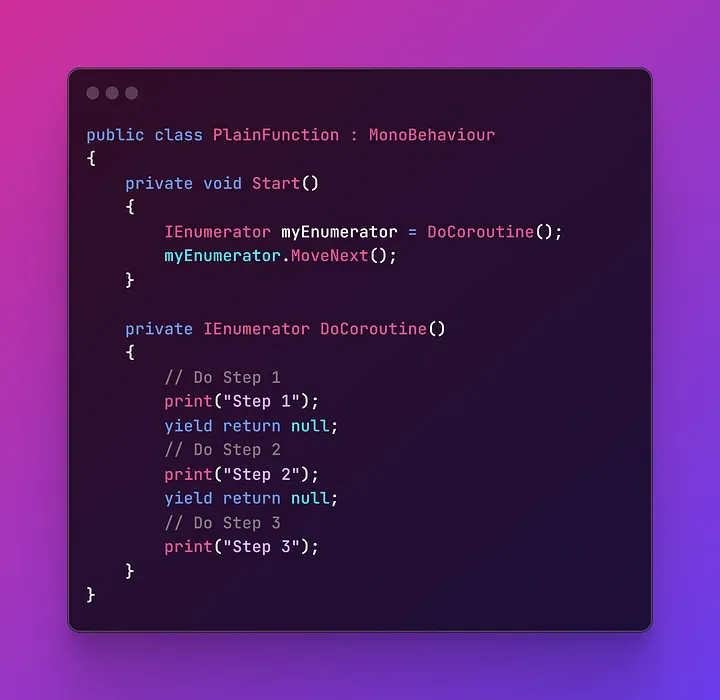
Now try running your code like this and see what happens! If you did this right, you should see “Step 1” printed in your Unity Console window. It only prints “Step 1” in the console, because of the yield return null line which tells the Coroutine to “stop here” and continue from that line again when MoveNext() is called again. You can think of yield return statements as a “Checkpoint” that you would have in a video game!
You can then call the MoveNext() method 2 more times:
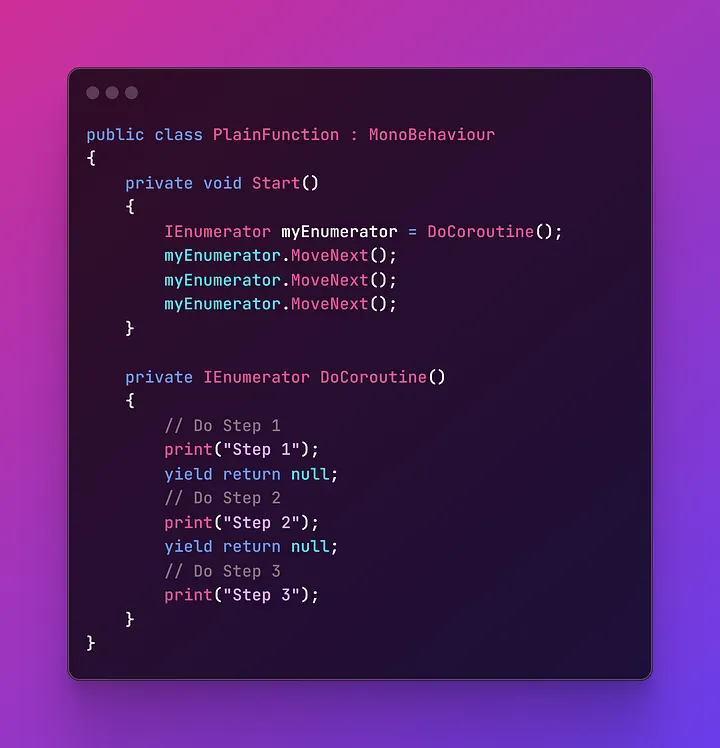
And this will print step 1, step 2 and step 3 in the console window. This is how the IEnumerator class works in C# and this is fundamentally how Coroutines work in Unity.
Creating our own Coroutine System
We can use this simple concept to create our very own Coroutine System!
Coroutine class
We’ll start with just a simple class to represent a Coroutine:
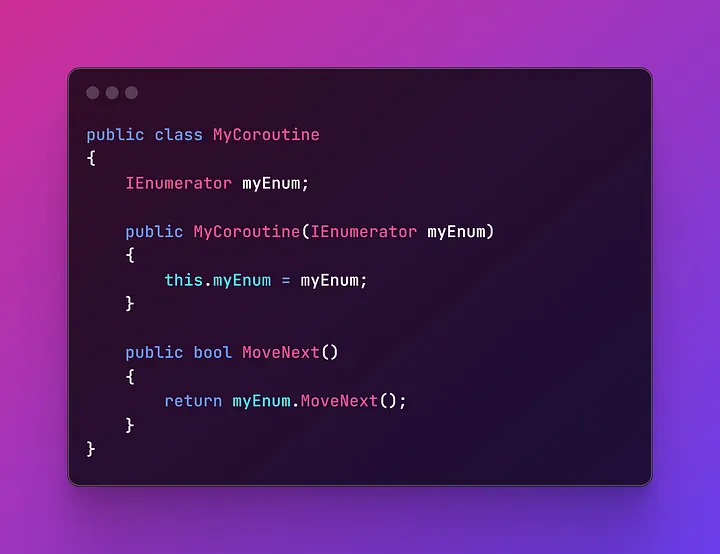 This acts as nothing more than a container for the
 IEnumerator that we’ll use to run the coroutine.
Coroutine Handler class
From there, we can create the handler class for all Coroutines passed to the object:
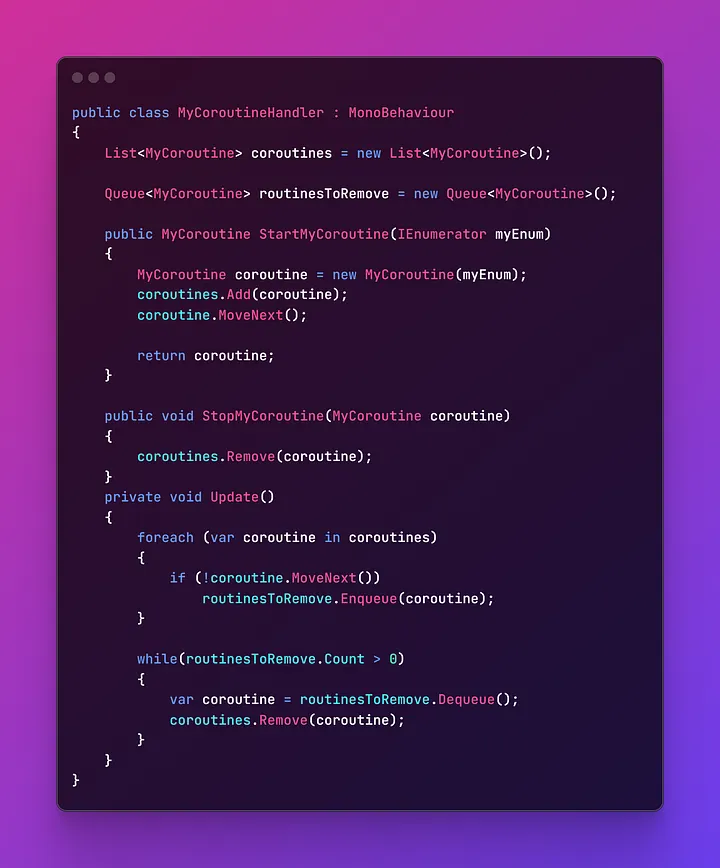 So here we just create a list of Coroutines as well as a Queue that keeps track of Coroutines that need to be removed. Then on Update, we call each coroutine’s MoveNext method and if it finishes on the given frame, it adds itself to the queue of Coroutines to remove.
Similar to Unity’s system, there is a StartMyCoroutine() as well as a StopMyCoroutine() function.
Putting it all together
Finally we create a separate MonoBehaviour with its own logic:
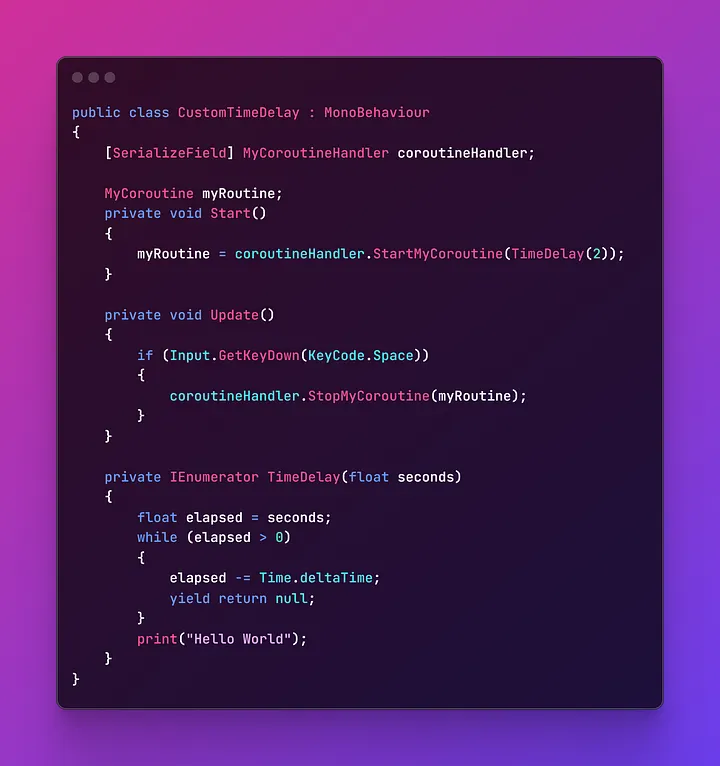
Unity Yield Instructions do not work when you use a custom coroutine system like this. I don’t actually recommend that you build your own Coroutine system as this doesn’t do anything different from what Unity does. All of this is just to unveil the “magic” that coroutines are notorious for.
Similar to the previous article, we just do a typical Time Delay method and we start the Coroutine at the Start method. We also add the option to stop the coroutine by hitting the space bar for good measure.
And that’s all! If you’ve gone through this article and understood it then you can now say that you fully understand how coroutines work! They seem like magic, but in reality they just take advantage of a very simple concept that we use in our every day lives! By understanding this, you will be well equipped to use Coroutines however you want and will be more capable of debugging any issues that come up when using them! Good luck!